# Self vs VisualCV: Put Your Career Website First
> Self turns your career material into a polished website with project media, then exports an updated PDF or TXT resume from the same content. Choose it for a professional web presence that works with your applications.
Source: https://self.cv/en/vs/visualcv
Language: en
Published: 2026-09-26
Last modified: 2026-11-11T00:00:00.000Z
A career website should feel designed for the person opening it. Self brings your experience and selected work together in a polished, responsive presentation, with templates that give your career a visual identity. When the website is what you want to create, that is where we believe the attention belongs.
## Self vs VisualCV at a glance
Compare the website, career presentation, and application document you can create.
| Decision point | Self | VisualCV |
| --- | --- | --- |
| Product focus | Career websites and resume exports | Resume documents and personal websites |
| Starting material | Resume, portfolio, images, or career text | Import your CV or resume |
| Website design | Curated career and portfolio templates | Website templates with customization |
| Reason to choose | Build your professional web presence | Manage resume documents alongside a website |
| Resume download | PDF and editable TXT on every plan | Resume document exports |
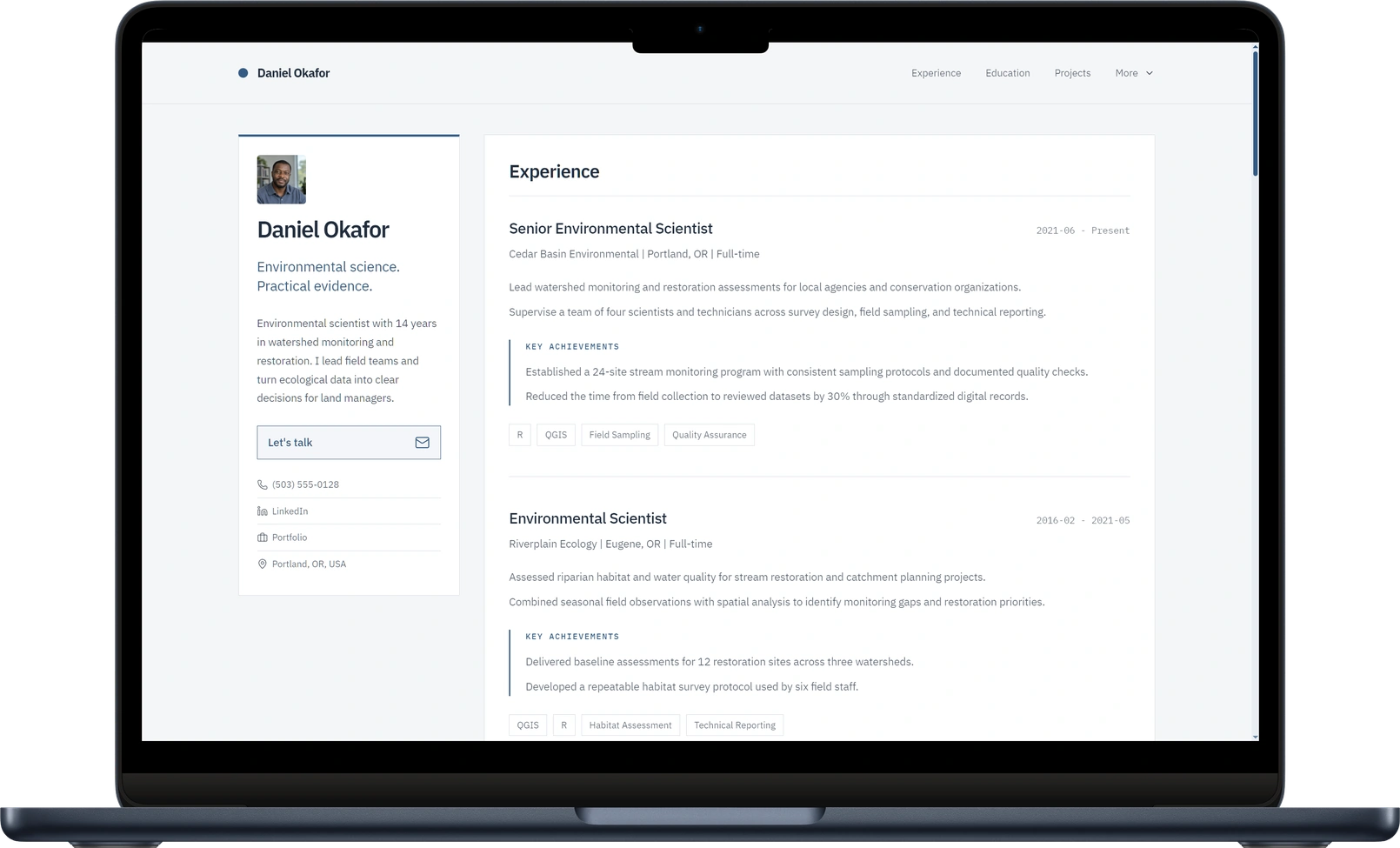
Dossier gives a detailed career history a deliberate structure, with room for achievements and supporting work.
## Choose by the page people will actually see
VisualCV offers a [personal website builder](https://www.visualcv.com/personal-website-builder-v1/) with CV import, templates, and custom domains alongside its resume-document tools. Both products can get career information onto the web. For someone who already has a resume, the useful question is how that website presents the person behind it.
Our position is straightforward: choose Self when your priority is a beautifully presented career website. Your introduction, experience, and selected work should read as one considered page. A list of document exports tells you little about that result. Look at the website itself.
## Give your career a visual identity
- Upload your existing resume, choose Dossier, Gallery, or another template, and generate your website.
- Personalize the career sections and add projects with images, video, and context. The layout presents your work alongside your experience.
- Publish your page and download an updated PDF or editable TXT resume from the same content. Both downloads are included on every plan.
[See a real CV become a published Self website](https://self.cv/en/blog/how-to-build-a-resume-website#ingrid-cv-to-website).
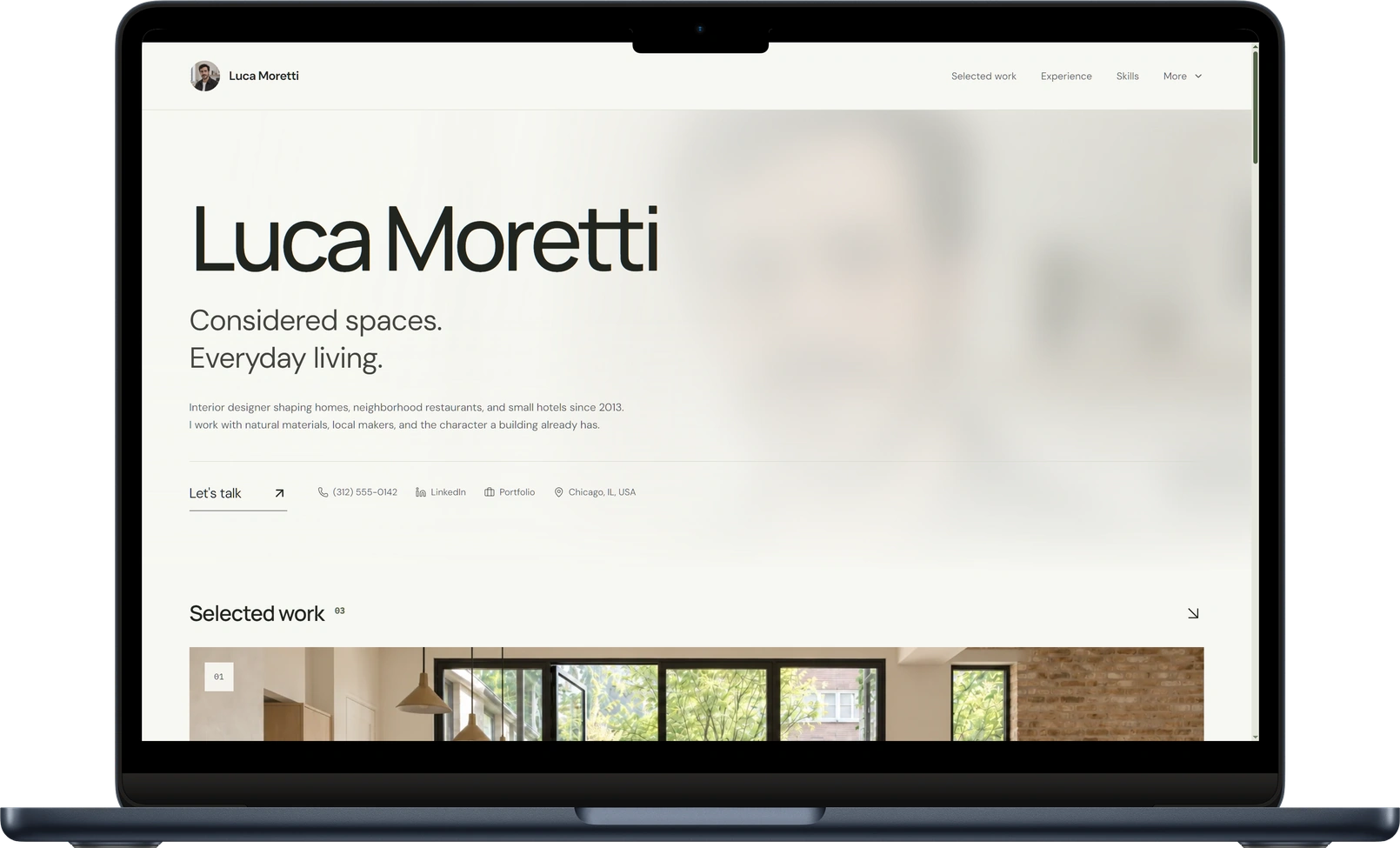
Gallery brings work samples forward while keeping the experience behind them part of the same professional profile.
Explore the [Self template collection and website examples](https://self.cv/en/resume-cv-templates-examples). Pay attention to how a page introduces you, where projects appear, and how the experience supports them. That is the design work Self puts into its career websites, and the reason to choose a template should be visible in the page.
## Put the work beside the experience
A job title gives the reader a label. A project gives them something to inspect. Self lets you add images, video, links, and descriptions to projects alongside your professional history. You can show the finished work and explain your part in it without squeezing both into a resume bullet.
For a service-design project, pair a screenshot of the finished interface with the problem you addressed and the decisions you owned. The reader can assess the work and connect it to the role where you gained that experience.
See how [projects and media work in Self](https://self.cv/en/blog/creative-portfolios-with-project-media) to plan the work you want on your page.
## One update for your website and application resume
Self gives you both formats from one set of career content. Update a role, improve a project description, or add a skill, then download an updated, ATS-optimized PDF or editable TXT resume. The website keeps your visual projects and fuller explanations; the PDF gives you a clear application document. Both downloads are included on Free, Pro, and Team.
[How Self's free PDF and TXT resume exports work](https://self.cv/en/blog/export-ats-optimized-resume-pdf).
## Verdict: make the website the priority
Choose Self for the professional presentation you want people to open: a designed website with experience, projects, and media together. Keep the application document current from the same content with PDF and TXT exports.
[Build your career website with Self](https://self.cv/en/studio) or explore the [portfolio website builder](https://self.cv/en/portfolio-website-builder) to see the presentation you can create.
## Self vs VisualCV: common questions
### Why choose Self if VisualCV also makes websites?
Choose Self for its approach to the finished career page: curated visual designs, generated professional sections, and project media alongside your experience. Compare the template examples against the presentation you want to share.
### Can Self also export a resume PDF?
Yes. Edit your career content in Self and download an updated, ATS-optimized PDF or editable TXT resume. Both formats are free on every plan, and use the same content as your website.
### Which Self features need a paid plan?
AI Chat, analytics, custom domains, search visibility controls, all templates, and advanced design controls require Pro or Team. Free includes content editing, PDF/TXT exports, and one hosted self.cv page with Self branding and search indexing disabled.