
Self vs Kickresume: Give Your Work a Website of Its Own
Self gives your experience and projects a polished website with a distinct visual identity. Kickresume publishes websites within its resume platform. Choose Self when the finished web presentation is the priority.

Javier Martínez Samblas
Founder of Self · AI-powered resume-to-website platform
Getting a resume online is only the beginning. A career website should make your work visible and give people a reason to explore it. Self brings experience, projects, and media into a designed professional page. For a website you want to send to a client or hiring manager, the presentation deserves that attention.
Self vs Kickresume at a glance
Product focus
Self
Professional websites and portfolios
Kickresume
Resume tools with website publishing
Source material
Self
Resume, LinkedIn PDF, portfolio, images, or text
Kickresume
Resume or LinkedIn information
Presentation
Self
Curated career and portfolio designs
Kickresume
Website templates within the resume platform
Reason to choose
Self
Develop your professional web presence
Kickresume
Publish from your resume account
| Decision point | Self | Kickresume |
|---|---|---|
| Product focus | Professional websites and portfolios | Resume tools with website publishing |
| Source material | Resume, LinkedIn PDF, portfolio, images, or text | Resume or LinkedIn information |
| Presentation | Curated career and portfolio designs | Website templates within the resume platform |
| Reason to choose | Develop your professional web presence | Publish from your resume account |
The website should earn its place beside the CV
Kickresume has a website builder that starts from resume or LinkedIn information and lets you edit a template. The distinction is not whether a website exists. It is what you want to make of it once your career information is there.
Our view: a professional website should add a visual identity and evidence worth opening. If it merely repeats what someone has already read in your application, it wastes an opportunity. Self is designed around that next step: giving your experience and selected work a presentation of their own.
Show the project behind the achievement
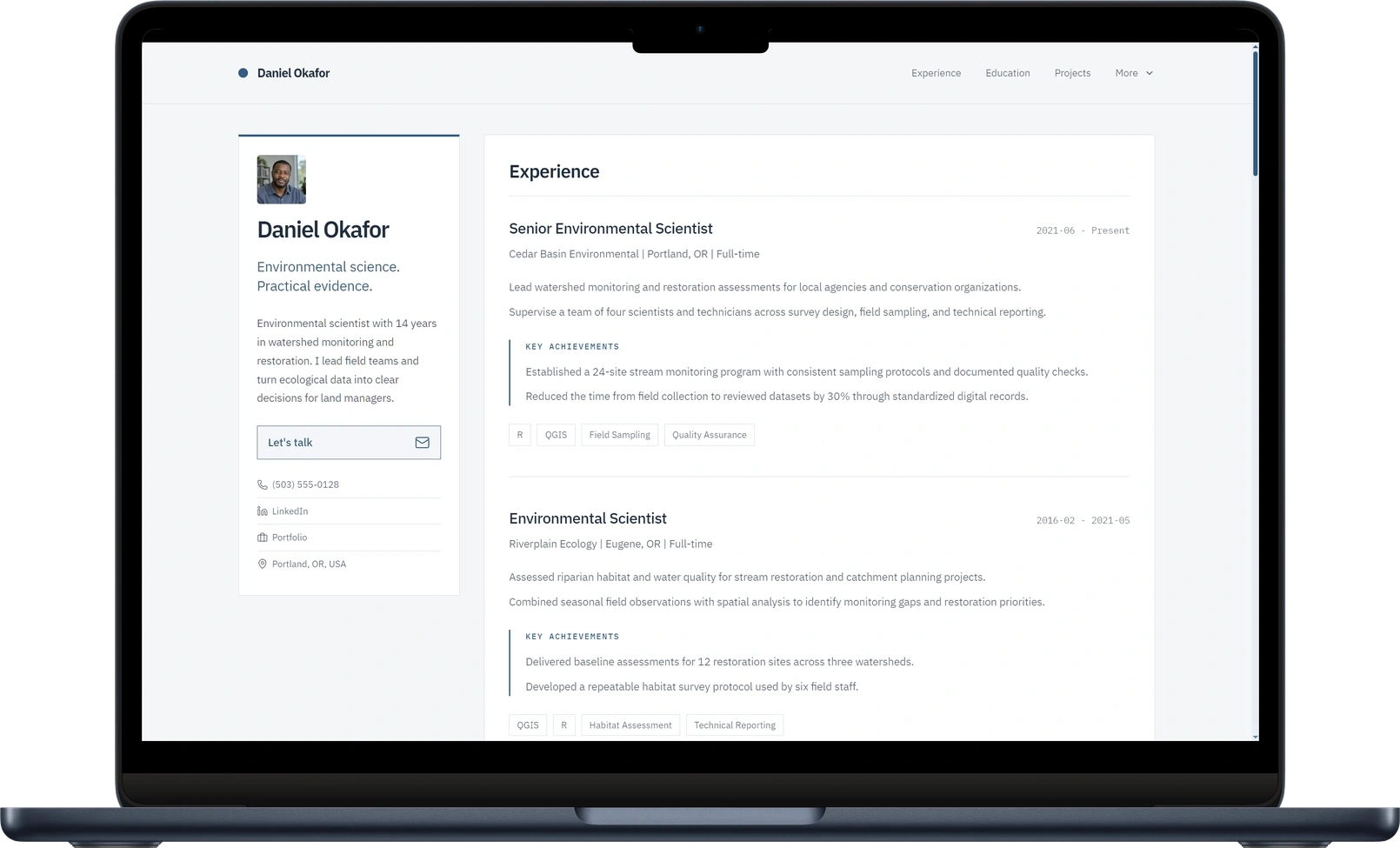
A resume might say you redesigned a service. Your Self page can show the interface, describe your contribution, and link to the finished result beside the role where you did the work. Project sections support images, video, descriptions, and links, so you can make the achievement inspectable.
Choose projects that match the roles or clients you want to attract. Self presents your experience and selected work with professional design, images, videos, and links.
See how project media works in Self and explore Self as a Kickresume alternative.
Give the page a look that suits your work
Dossier organizes a substantial career history. Gallery lets visual projects lead. Minimalistic keeps the design quiet and the content easy to follow. Choose your direction from the template collection, then refine the generated sections and add your samples.
Browse the career website templates and examples to judge the finished presentation for yourself.
Verdict: choose Self when the website is the next step
Keep the resume document you use for applications. Choose Self to give that career a polished website with room for the projects behind it. A dedicated web presence deserves more consideration than being another export from a resume account.
Build your career website with Self.
Self vs Kickresume: common questions
Does Kickresume also make websites? Yes. Its website builder uses resume or LinkedIn information and editable templates. Choose Self for its focus on the finished career page, curated designs, and project presentation.
Do I need to rewrite my resume to use Self? No. Start with your existing resume or portfolio, review the generated sections, and add the project details or media you want online. You can keep your application document separately.
Can I try Self before paying for a plan? You can create and keep one hosted page on a self.cv address for free, with Self branding and no search indexing. Pro and Team add all templates, design controls, AI edits, custom domains, analytics, and search visibility controls.