

Self vs LinkedIn: Give Your Career Its Own Identity
Self gives your career a designed website beyond the standard LinkedIn profile. Bring your experience and selected work together on a page people can open directly, with a visual identity of your own.

Javier Martínez Samblas
Founder of Self · AI-powered resume-to-website platform
Your career should be recognizable beyond a familiar profile layout. Self turns your resume or LinkedIn PDF into a polished personal website, with a design you choose and projects people can explore directly. Give the link you share a presentation that feels like yours.
Self vs LinkedIn at a glance
Professional home
Self
Standalone career website
Profile within a professional network
Visual identity
Self
Curated website design
Standard profile format
Visitor access
Self
Public page without a visitor account
Public profile visibility settings
Main purpose
Self
Present your experience and selected work
Networking and professional discovery
| Decision point | Self | |
|---|---|---|
| Professional home | Standalone career website | Profile within a professional network |
| Visual identity | Curated website design | Standard profile format |
| Visitor access | Public page without a visitor account | Public profile visibility settings |
| Main purpose | Present your experience and selected work | Networking and professional discovery |
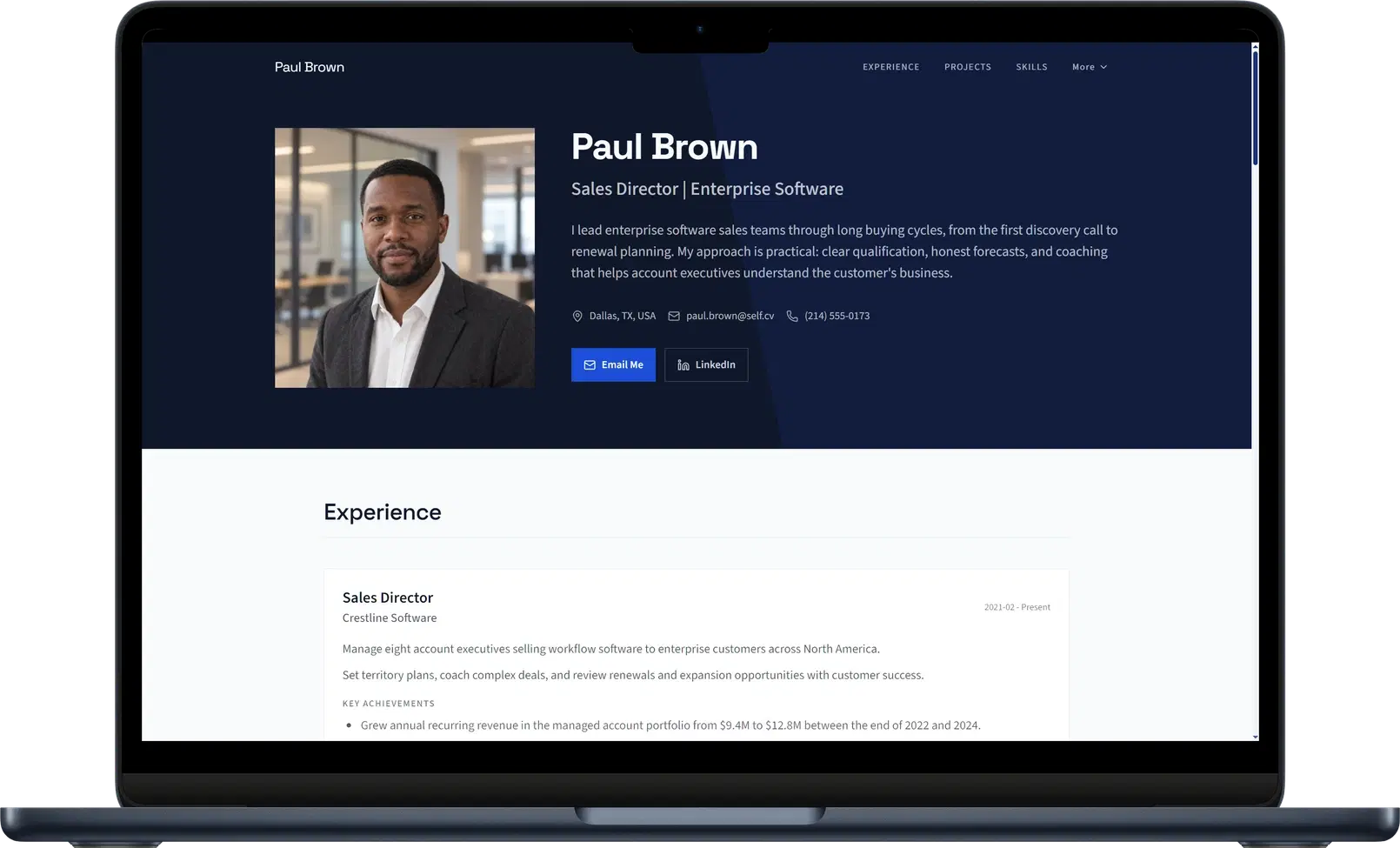
A network profile follows the network's format
LinkedIn controls public profile visibility through its settings and serves a simplified public profile. You can improve what you write, but your presentation still follows the platform's format.
Our view: the page you send with an introduction deserves its own design and reading order. Someone arriving from an email, a conference bio, or an application should be able to see the experience and work you want them to notice, without needing a network account.
Self gives your professional story a visual identity
Choose a design that reflects how you want to present your work. Corporate gives professional details a composed hierarchy. Gallery gives project imagery more presence. Your introduction, experience, and selected work become parts of one deliberate website.
A title says what role you hold. The projects beside it can show what you contributed: an interface, a publication, a campaign, or a finished product. Add images, descriptions, and links so people can follow the evidence from the same page.
Explore the personal website builder and template examples to choose the presentation you want outside the network.
Use the profile you already have as a starting point
Export your LinkedIn profile as a PDF from desktop and upload it to Self. Review the generated sections, add the work you want to show, and publish. You can also start with an existing resume or portfolio. This is a file upload, not an ongoing connection to your LinkedIn account.
Follow the LinkedIn-to-website guide for the export and upload steps. Once published, add your Self link to LinkedIn, your email signature, and your application documents.
Verdict: make your website the place to know your work
Keep LinkedIn for the network you use. Choose Self for the professional presentation you want to share everywhere. A strong profile can introduce your name; a designed career website gives people a focused place to explore the work behind it.
Create your personal website with Self.
Self vs LinkedIn: common questions
Should I replace LinkedIn with Self? Keep LinkedIn for networking and recruiter discovery if you use it. Self gives you a standalone website with its own design, experience, and project presentation. Put that link on your profile and in your outreach.
Does Self sync with my LinkedIn account? No. Export your LinkedIn profile as a PDF and upload it to Self, or use your existing resume. You review and edit the website independently after generation.
Do visitors need a Self account to see my page? No. Published pages are public websites. You can keep one free page on a self.cv address with Self branding and no search indexing. Pro and Team add custom domains, all templates, analytics, and search visibility controls.