

Self vs Linktree: Give Recruiters More Than Links
Self puts your experience and selected work on a polished career website. Linktree routes people to destinations. Give recruiters the context to understand your work before asking for another click.

Javier Martínez Samblas
Founder of Self · AI-powered resume-to-website platform

A list of places to find you is a weak introduction to what you can do. Self gives your career a designed page where experience and selected work are visible together. A visitor should be able to understand why a project matters before being sent somewhere else.
Self vs Linktree at a glance
Primary purpose
Self
Present your career and selected work
Linktree
Route an audience to destinations
Page structure
Self
Professional sections and project context
Linktree
Links, embeds, and audience actions
Starting material
Self
Existing resume or portfolio
Linktree
Destinations and content you select
Visitor takeaway
Self
Understand your experience and contribution
Linktree
Choose what to open next
| Decision point | Self | Linktree |
|---|---|---|
| Primary purpose | Present your career and selected work | Route an audience to destinations |
| Page structure | Professional sections and project context | Links, embeds, and audience actions |
| Starting material | Existing resume or portfolio | Destinations and content you select |
| Visitor takeaway | Understand your experience and contribution | Choose what to open next |
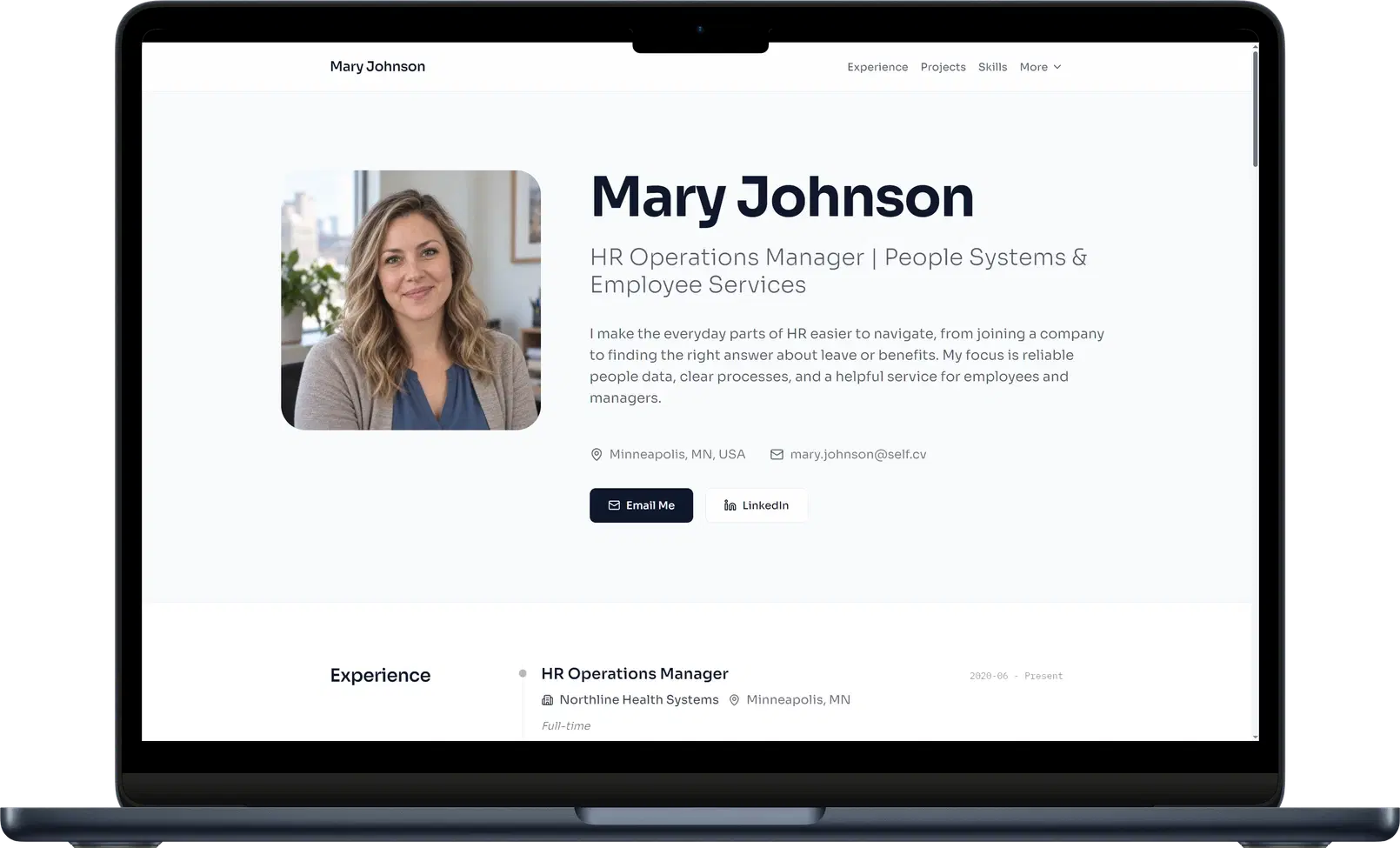
A link hub asks the visitor to choose the next step
Linktree combines links and embedded content in a page built around directing an audience. For a career introduction, that routing model can leave an important job unfinished: explaining the experience behind the destinations.
Imagine opening a page with buttons for a portfolio, a repository, a resume, and a professional profile. Which contains the relevant work? What did this person contribute? The visitor has to decide where to look and connect the pieces. Our view: your first page should already do that explanatory work.
Self makes the page itself worth reading
Self turns your existing resume or portfolio into professional sections you can refine. Experience establishes the background. Selected projects show the work. Images, videos, descriptions, and links let you explain an achievement and provide a route into the details.
A developer can introduce a product, describe their role, show the interface, and link to the code. The repository link becomes supporting evidence inside a story the reader understands. That is a much stronger professional introduction than asking a label on a button to carry the explanation.
See the portfolio website builder and choose a design from the career website examples.
One link can hold the introduction and the evidence
Use your Self URL in social bios, outreach, applications, and email signatures. It leads to a responsive website designed around your career, with a clear visual hierarchy and room for the projects you want people to notice.
Self's Share Kit also gives you professional cards and QR options for sharing the page. The destination carries the substance, wherever the introduction starts.
Verdict: choose Self for the page behind your professional link
Choose Self when a recruiter or client should understand your work on arrival. Put the career context and evidence in one polished place, then use links to let interested people go deeper.
Build your professional website with Self.
Self vs Linktree: common questions
Is Self a Linktree alternative for professionals? Yes, when you want the destination to present your experience and selected work. Self provides a career website with project context, media, and links instead of centering the page on routing visitors.
Can I still link to my other profiles? Yes. Include professional links and relevant project destinations on your Self page. Introduce the work on the page so people know why they might want to open them.
Can I use a free Self page in my social bio? Yes. A free hosted page can remain live on a self.cv address with Self branding and no search indexing. Pro and Team add custom domains, analytics, all templates, and search visibility controls.