

Personal Website Examples: 6 Designs to Inspire Your Own
Explore six personal website designs for different careers, with template previews, practical content ideas, and lessons you can apply to your own page.

Javier Martínez Samblas
Founder of Self · AI-powered resume-to-website platform

A good personal website makes three things easy to understand: what you do, what your work looks like, and how to reach you. The design gives those answers a shape. A researcher may need a clear chronology and room for technical detail. A writer needs readable introductions and links to selected work. A project manager needs a way to make delivery and responsibility visible.
These six personal website examples explore different ways to solve that problem using Self templates. Each includes a design preview, an explanation of the choices that matter, and content ideas you can use on your own page. Start with the example closest to your work, then borrow useful ideas from the others.
Choose a structure that fits your work
Before choosing colors or a layout, decide what your visitor needs to evaluate. This comparison gives each design a practical purpose. The same template can suit several careers; the important decision is which information deserves the most attention.
Software engineering
Design
8Bit
What to make easy to find
Technical focus, selected projects, and useful code or product links
Project management
Design
Bento
What to make easy to find
Project scope, responsibilities, delivery decisions, and outcomes
Research and science
Design
Dossier
What to make easy to find
Research focus, methods, career progression, and supporting work
Writing and freelance work
Design
Editorial
What to make easy to find
Topics, voice, selected publications, and contact details
Human resources and operations
Design
Minimalistic
What to make easy to find
Professional focus, process improvements, and relevant experience
UI/UX and product design
Design
Brutalist
What to make easy to find
Design approach, project context, and your contribution
| Your focus | Design | What to make easy to find |
|---|---|---|
| Software engineering | 8Bit | Technical focus, selected projects, and useful code or product links |
| Project management | Bento | Project scope, responsibilities, delivery decisions, and outcomes |
| Research and science | Dossier | Research focus, methods, career progression, and supporting work |
| Writing and freelance work | Editorial | Topics, voice, selected publications, and contact details |
| Human resources and operations | Minimalistic | Professional focus, process improvements, and relevant experience |
| UI/UX and product design | Brutalist | Design approach, project context, and your contribution |
1. A software engineer website with a clear technical identity
The 8Bit design uses pixel-inspired typography, a dark background, and bright accents to create a recognizable introduction. The opening still does a practical job: it names a technical focus, explains the kind of systems being built, and puts professional links within reach. That combination gives an engineering portfolio personality while keeping the work easy to locate.
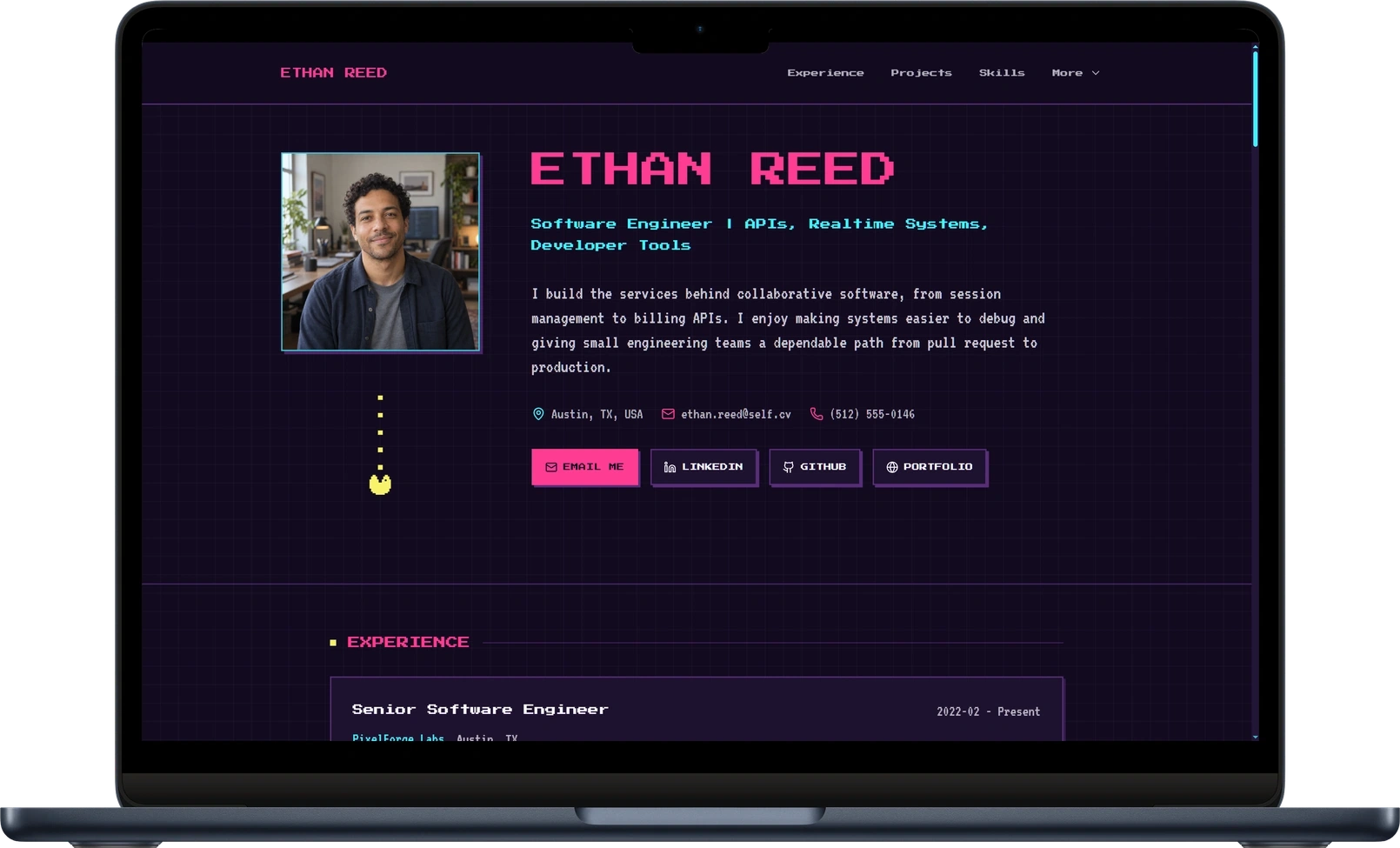
Carry that specificity into your projects. A title such as "Shared workspace API" gives more context than "Backend project." Follow it with the problem, the part you owned, an important technical decision, and a link to something a reader can inspect. A repository, product demo, diagram, or short implementation note can each provide useful evidence.
- Use your introduction to name the systems, users, or problems you work with.
- Give two or three relevant projects enough context to show your contribution.
- Connect tools to work: explain where you used a technology and why it mattered.
Explore the 8Bit template and its layout, then choose the projects that best support the role you want.
2. A project manager website that makes delivery visible
Bento groups information into clearly separated cards. The profile, short introduction, and contact area each have a defined place, followed by more detailed experience. This is useful when your work involves coordinating people, systems, and decisions: the page can introduce the whole picture before asking someone to read the delivery details.
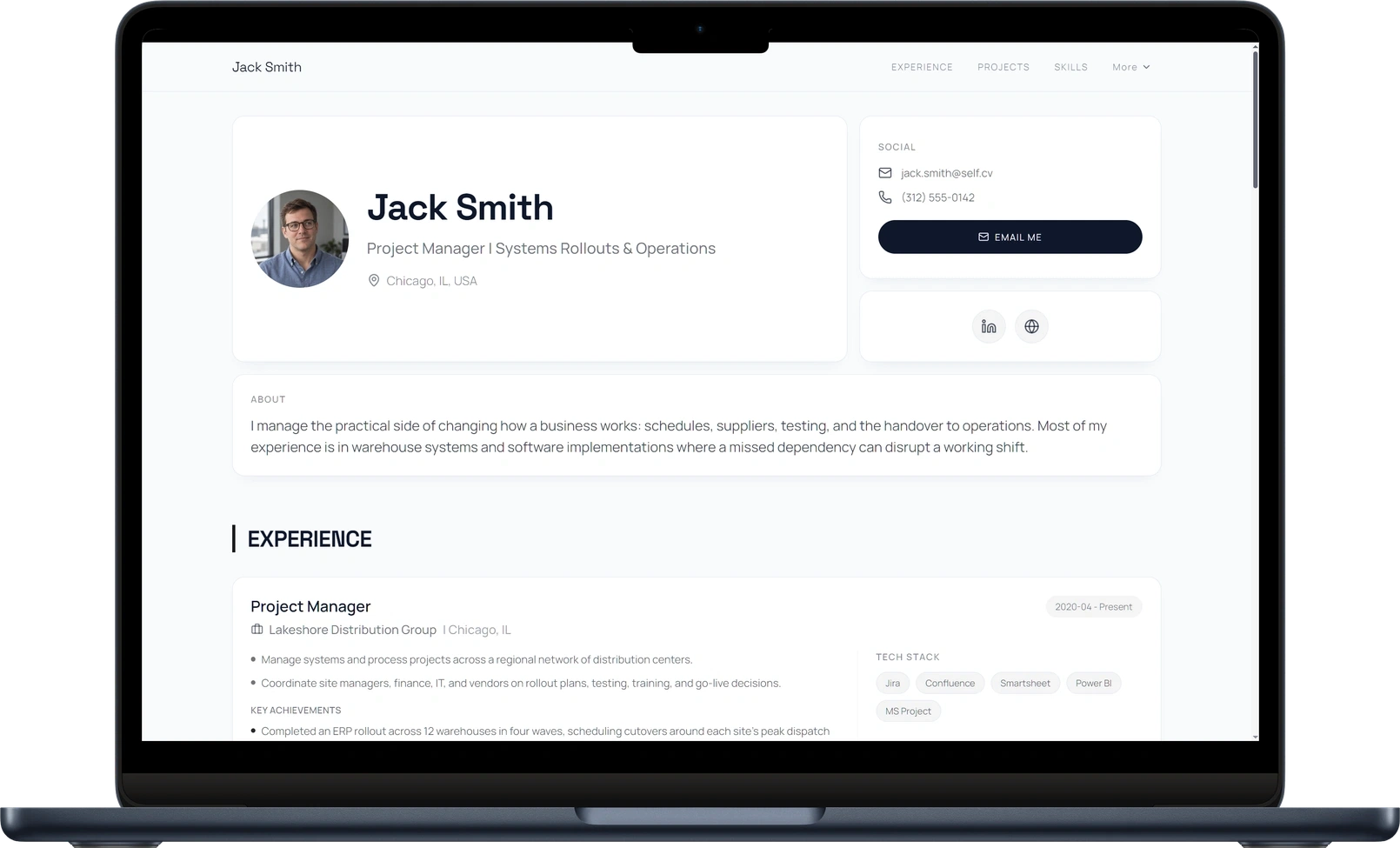
A project manager portfolio becomes more informative when it explains what needed to change, who was involved, and what you took responsibility for. For a system rollout, useful details might include requirements gathering, supplier coordination, user testing, training, and the handover to operations. Explain the decisions behind delivery as well as the final result.
- State the project context and the responsibility you personally held.
- Show how you handled dependencies, testing, stakeholders, or implementation.
- Support outcomes with appropriate evidence, such as a public launch, an approved summary, or a measurable process change.
See the Bento layout and our guide to presenting nonvisual project management work for more content ideas.
3. A research website that keeps the evidence organized
Dossier places a compact profile beside a detailed chronology. The name, field, short introduction, and contact information stay visually distinct from the longer experience sections. This gives a researcher or scientist room to explain methods and responsibilities while preserving a clear sense of who the work belongs to.
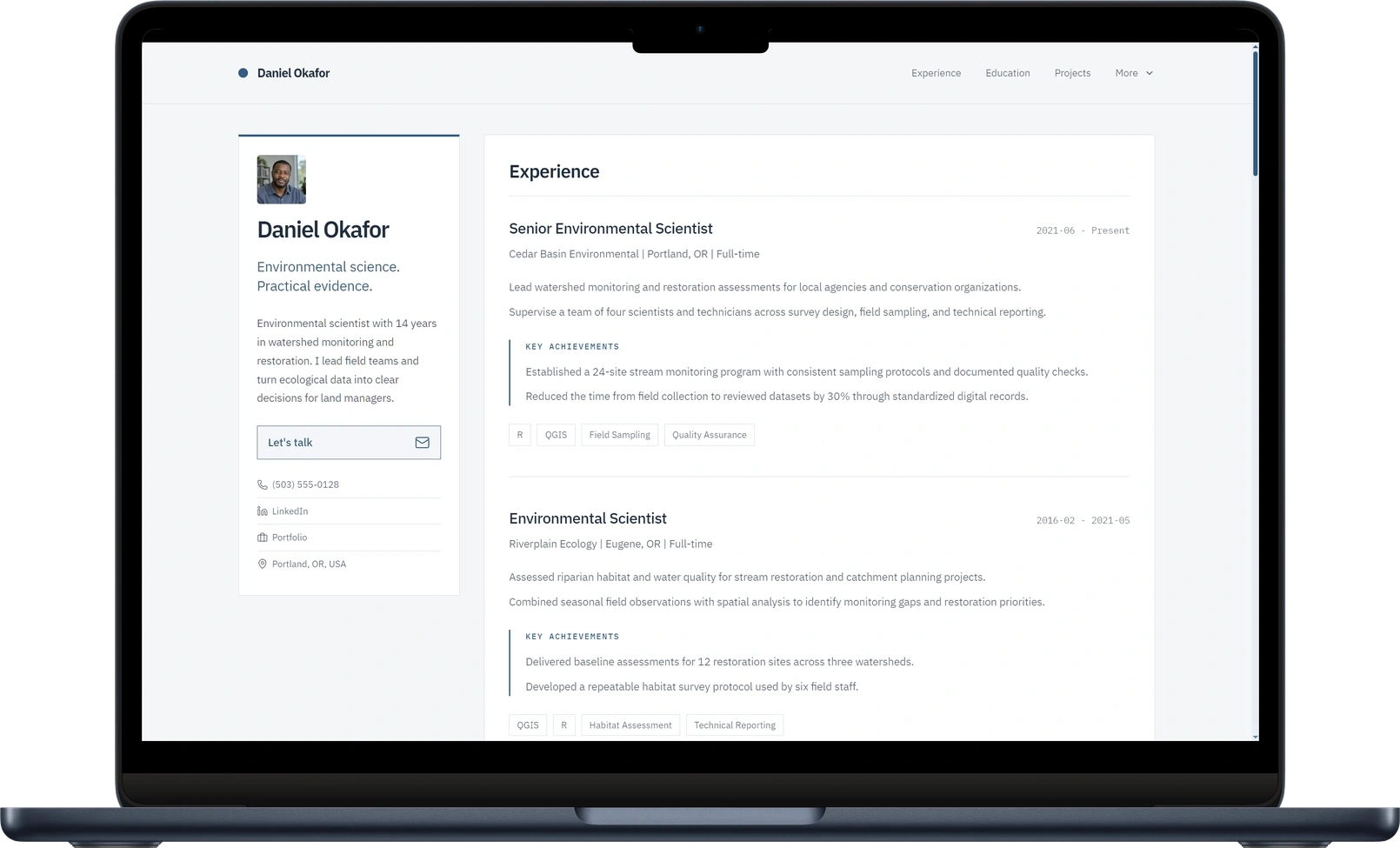
Introduce your research in language an interested reader can follow, then provide depth through specific projects and links. A field study could explain the question, sampling approach, analysis, and practical use of the findings. Academic work can connect a research interest to publications, posters, datasets, or a thesis, where those materials are available to share.
- Summarize the questions or practical problems that connect your work.
- Give methods and technical tools context within a study or project.
- Add descriptive publication and project links so readers know what they will open.
Preview the Dossier design. If you are starting a doctorate, our guide to a PhD personal website before your first publications explores other ways to present your research.
4. A writer website that lets the words do their job
Editorial uses generous spacing, a restrained palette, and readable typography. The introduction has room to establish a subject and a voice, with contact details nearby. For a writer, editor, or communications freelancer, that opening is already a small demonstration of how clearly you can explain an idea.
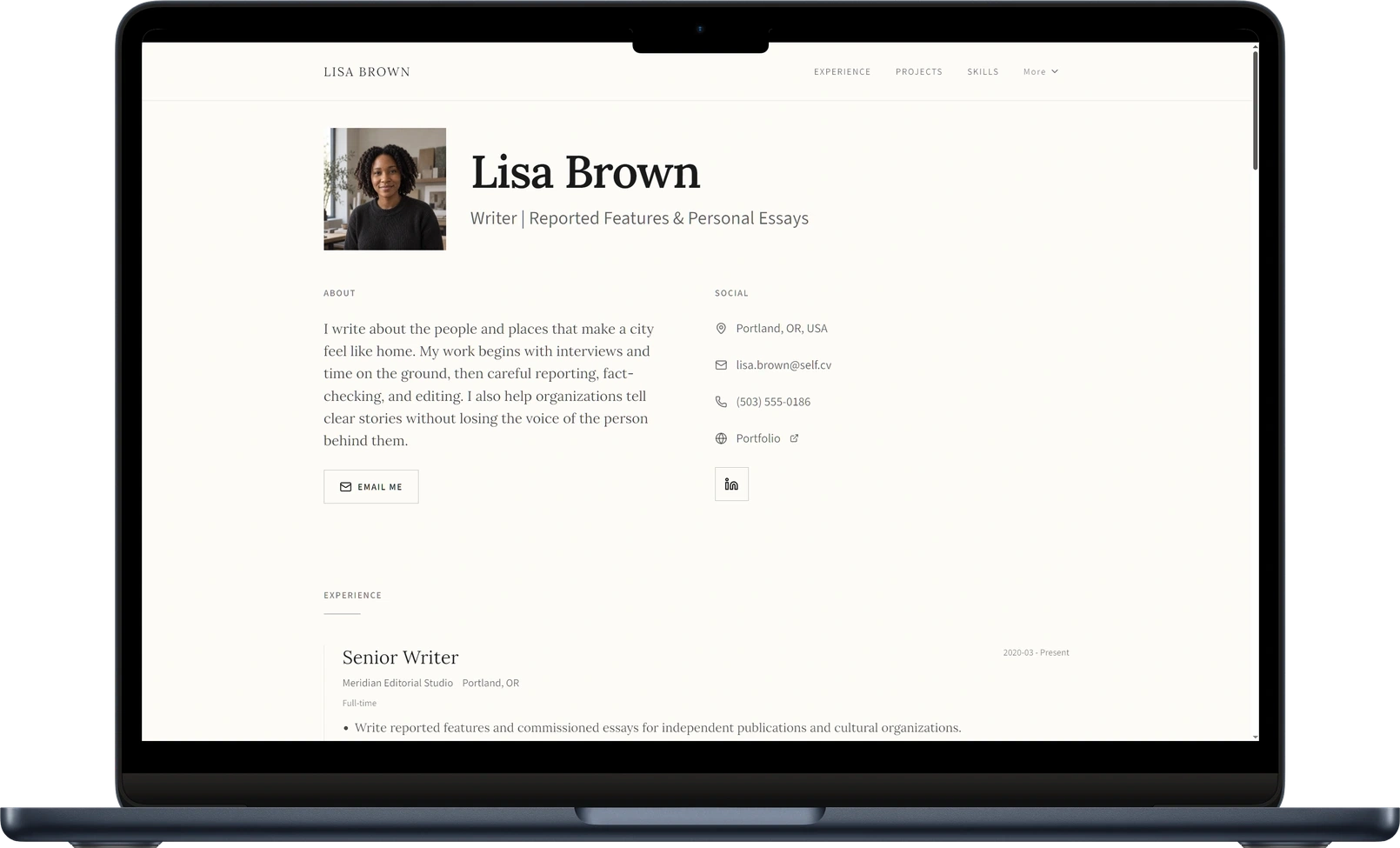
Choose a small set of writing samples with a reason for each selection. An interview, reported feature, explanatory article, and commissioned essay may demonstrate different strengths. Introduce each link with the publication, the subject, and your role. Readers can then choose the sample most relevant to the work they have in mind.
- Describe your topics, formats, or audiences in a concrete opening paragraph.
- Give each writing sample a clear title and a sentence of useful context.
- Make it easy to discuss an assignment through one obvious contact route.
Explore Editorial or read our guide to creating a freelance portfolio website if your page needs to explain services as well as experience.
5. An HR website built around focus and experience
Minimalistic gives the profile a generous opening, with a portrait, a clear professional description, and direct contact links. The chronology follows underneath. This suits work whose value emerges through reliable processes and sustained responsibility, including human resources, business operations, administration, and people management.
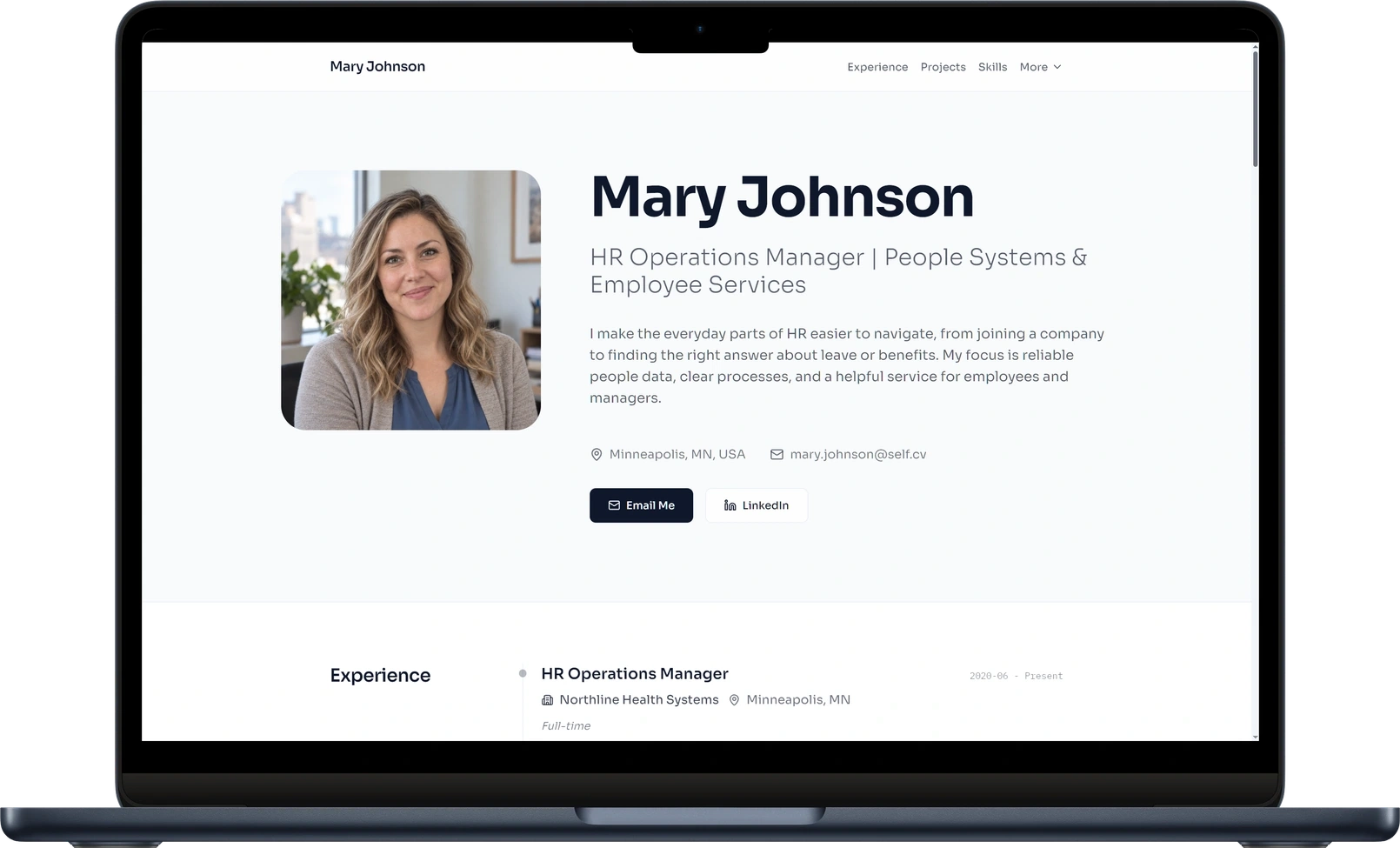
Make the work tangible by describing the service or process you improved. Employee onboarding, people-data quality, manager guidance, and internal support all have a practical audience and purpose. Explain the starting situation, the change you contributed, and the evidence you can share. A concise description can demonstrate good judgment without requiring a visual project gallery.
- Use the introduction to explain the people or operations your work supports.
- Connect responsibilities to specific improvements in a service or process.
- Choose examples that communicate your contribution while respecting employee and company privacy.
See the Minimalistic template for a professional portfolio structure that keeps the focus on your work.
6. A design portfolio with a confident introduction
Brutalist uses strong typography, generous space, and a clear accent to give the page a recognizable identity. The introduction explains a design focus before the reader moves into the work. For UI/UX and product designers, this is a useful reminder that the first screen should communicate how you think about a problem as well as your visual taste.
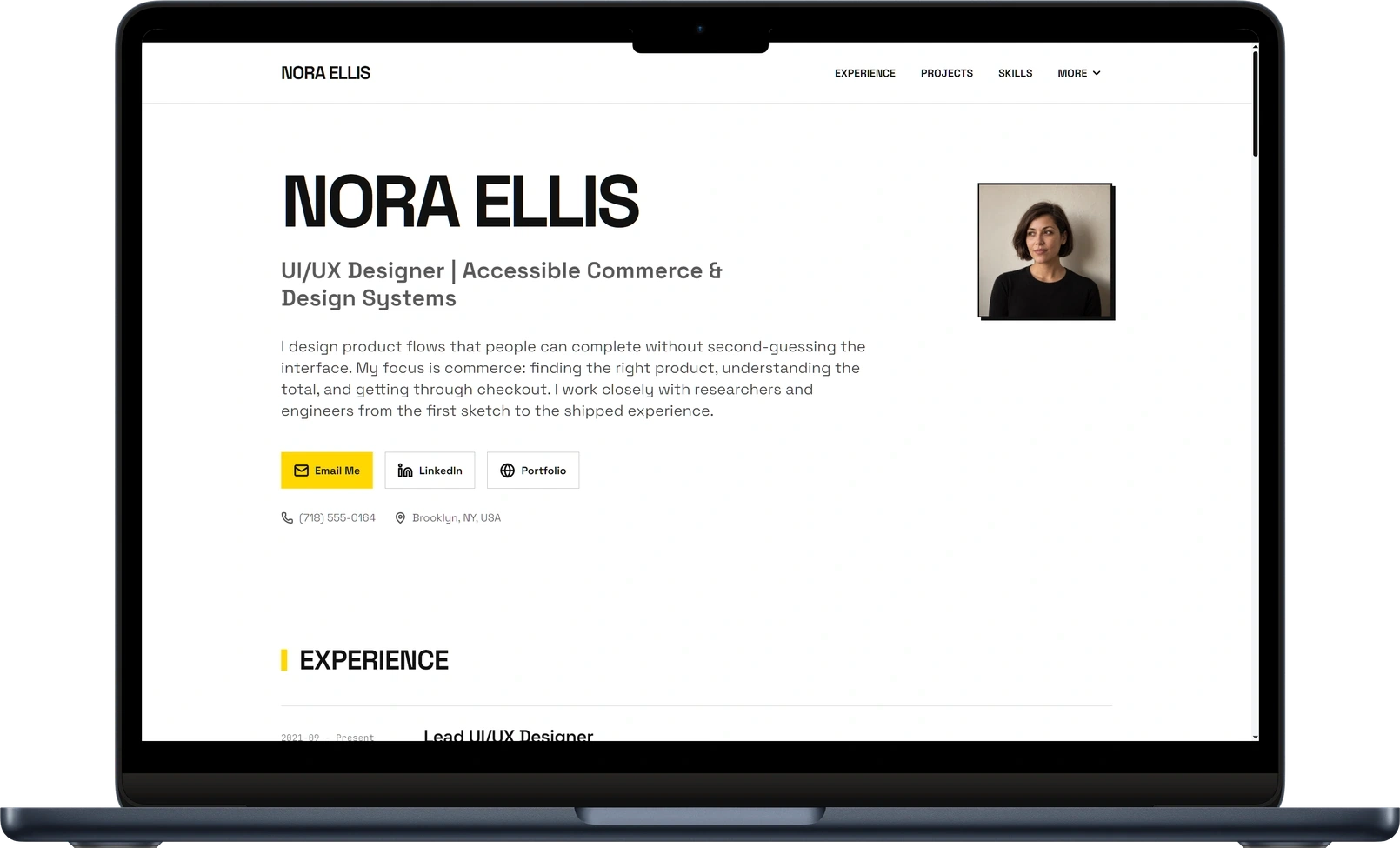
Pair your strongest project images with the context needed to understand them. A checkout redesign becomes more useful when you explain the original difficulty, the part of the journey you owned, the constraints, and the decisions behind the finished screens. Show enough process to connect the design to a problem someone recognizes.
- Open with the kinds of products, users, or experiences you design for.
- Give selected projects a clear problem, your contribution, and an outcome.
- Use readable images and captions that help someone understand the work on a phone.
Explore the Brutalist design and compare it with the other personal website templates and examples to find the presentation that suits your work.
Turn a resume line into useful website content
A website gives you room to connect a role, a project, and the work behind it. Start with the information you already have. Suppose your notes describe coordinating warehouse-system requirements, user testing, and operational handover with site leads, IT, and suppliers. They also mention documented testing decisions and staff guidance. The following edits show how those details can become clearer page content.
Project manager
More useful website copy
Project manager focused on warehouse systems and operational rollouts.
What the reader learns
The professional context and area of focus
Helped implement a new system
More useful website copy
Coordinated requirements, user testing, and handover for a warehouse-system rollout.
What the reader learns
The activities and responsibility involved
Strong communication skills
More useful website copy
Brought site leads, IT, and suppliers into one rollout plan, with documented testing decisions and staff guidance.
What the reader learns
How communication was applied to the work
| Starting point | More useful website copy | What the reader learns |
|---|---|---|
| Project manager | Project manager focused on warehouse systems and operational rollouts. | The professional context and area of focus |
| Helped implement a new system | Coordinated requirements, user testing, and handover for a warehouse-system rollout. | The activities and responsibility involved |
| Strong communication skills | Brought site leads, IT, and suppliers into one rollout plan, with documented testing decisions and staff guidance. | How communication was applied to the work |
Use the same approach with your own material: identify the setting, explain your contribution, and show what the work made possible. Add a number when you have reliable evidence for it. A clear description of responsibility or a useful deliverable can also tell the reader something meaningful.
What to include on your own personal website
The best structure follows the evidence you have and the conversation you want to start. Use this checklist to prepare your page before you publish.
- A specific introduction: your field, the work you do, and the opportunities or collaborations you are interested in.
- Selected evidence: projects, experience, publications, writing samples, or relevant coursework, with your contribution explained.
- Skills in context: show where a capability appears in your work instead of relying on an isolated list.
- A clear next step: a professional email, relevant profile, or contact action someone can find easily.
- A mobile review: check that text is readable, images are useful, navigation works, and links open the intended destination.
Early in your career, projects and coursework can provide that evidence. Our guide to what to include on a recent graduate personal website shows how to choose and explain it.
Build your personal website from the material you have
Self turns your resume, portfolio, or career notes into a hosted personal website. Add your material, choose a template, and review the generated page. Refine the introduction, check your experience, and add the project links or media that make your work easier to explore.
You can preview every template before publishing. Publish with a Free template on the Free plan, or choose Pro or Team to publish a Pro design. Pick the presentation that helps your visitor understand the work you want to be known for.
Start with the resume-to-website tool, or use the template collection to compare designs. For the full workflow, follow our step-by-step resume website guide.
Questions about personal websites
What makes a good personal website?
A clear introduction, relevant examples of your work, and an easy way to contact you. Choose a layout that helps readers find those things, then give each project or experience enough context to show your contribution.
What is the difference between a personal website and a portfolio?
A personal website introduces you and can bring together experience, interests, research, and contact details. A portfolio focuses on selected work. The two often share a page: a professional introduction gives context to the projects that follow.
Can I create a personal website before my first full-time job?
Yes. Coursework, personal projects, volunteering, part-time work, and research can all provide useful material. Explain the purpose, what you did, and what you learned or produced. Choose the examples most relevant to the opportunity you want.
Do I need to know how to code?
Self generates and hosts the page from your professional material, so you can focus on the content and the presentation. Coding your own website is another option when building the site is a skill you want to demonstrate.