

Meet Colorfield, Gallery, and Dossier
Three new templates, a thoughtful redesign of the full collection, and a smoother way to turn mixed career material into a polished page.

Javier Martínez Samblas
Founder of Self · AI-powered resume-to-website platform

Today we are releasing our biggest design update to Self so far: three brand-new templates, a considered refresh of every existing design, and a collection of workflow improvements that make creating and refining a page feel much easier.
Self now has twelve templates. Each one still has its own point of view, from restrained and professional to bold and expressive, but the whole collection now shares a higher standard of typography, spacing, interaction, responsiveness, and finish.
Three new templates, three different points of view
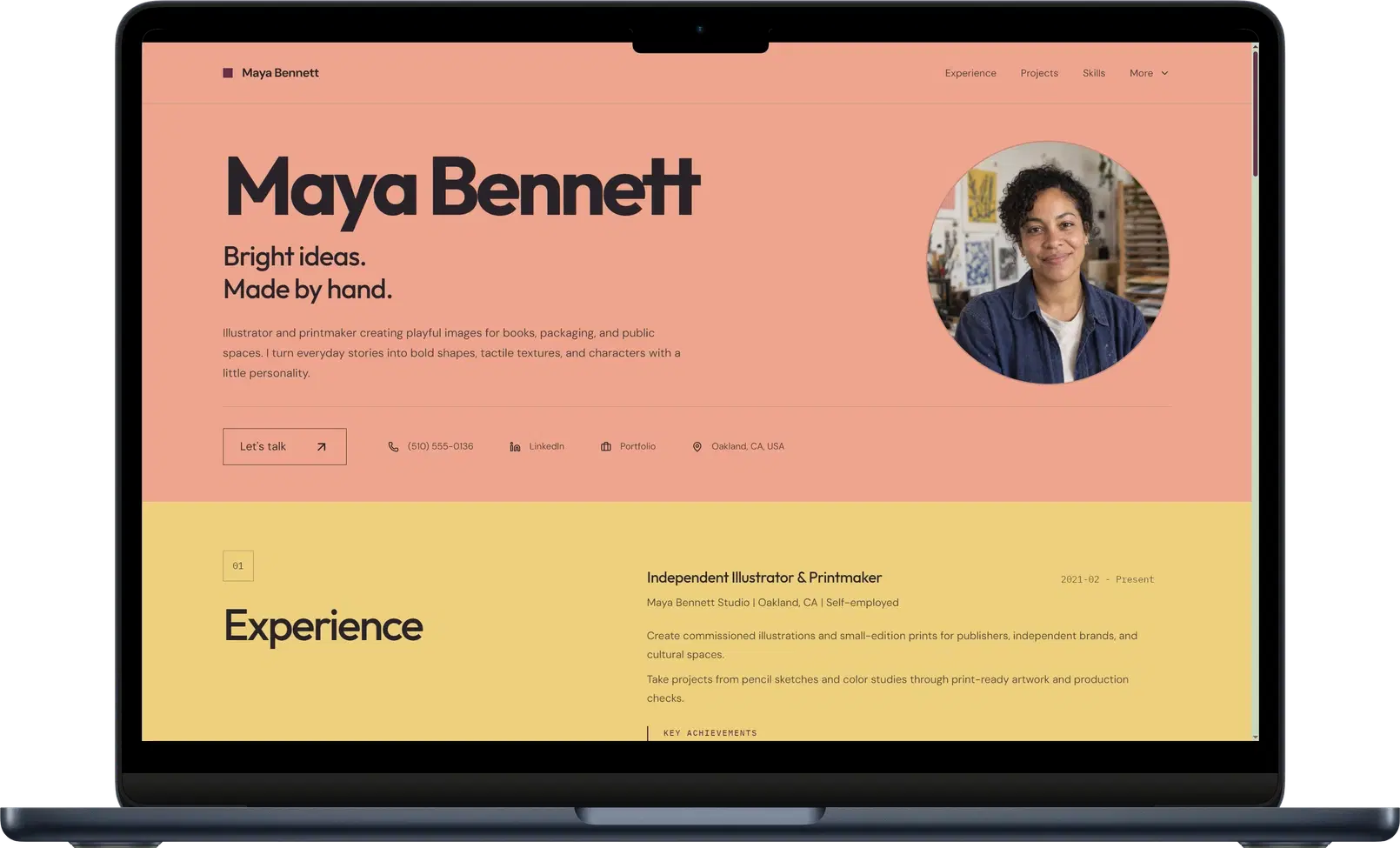
Colorfield: expressive without losing clarity
Colorfield uses broad color bands, oversized headings, and a strong editorial rhythm to give every section a distinct identity. It is made for illustrators, artists, and creative professionals who want their page to feel personal without making the work difficult to scan.
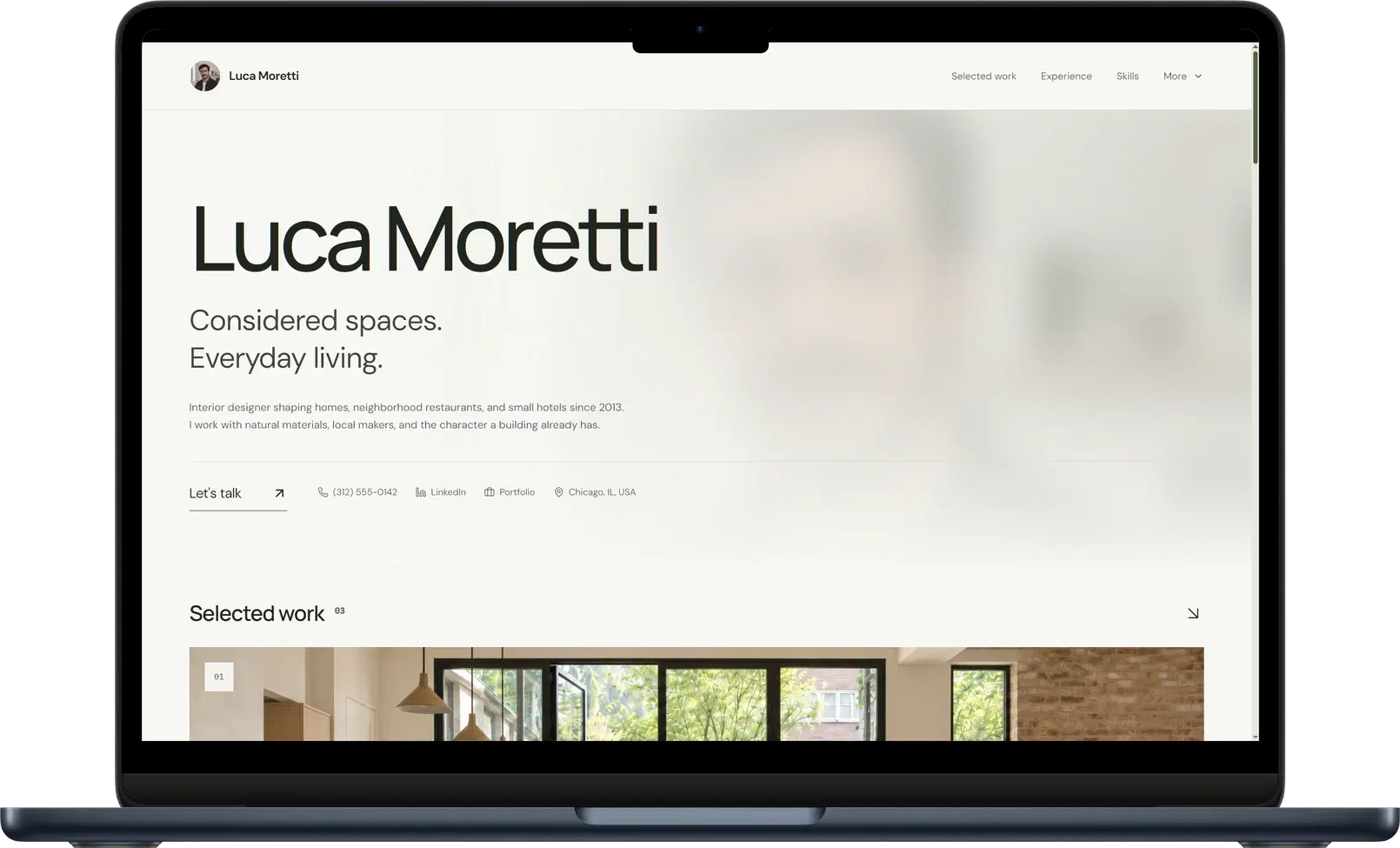
Gallery: let the work take the lead
Gallery is our most visual new template. An atmospheric introduction and generous project imagery put portfolios first, while experience, skills, and contact details remain part of one complete professional story. It is a natural fit for interior designers, architects, photographers, and visual storytellers.
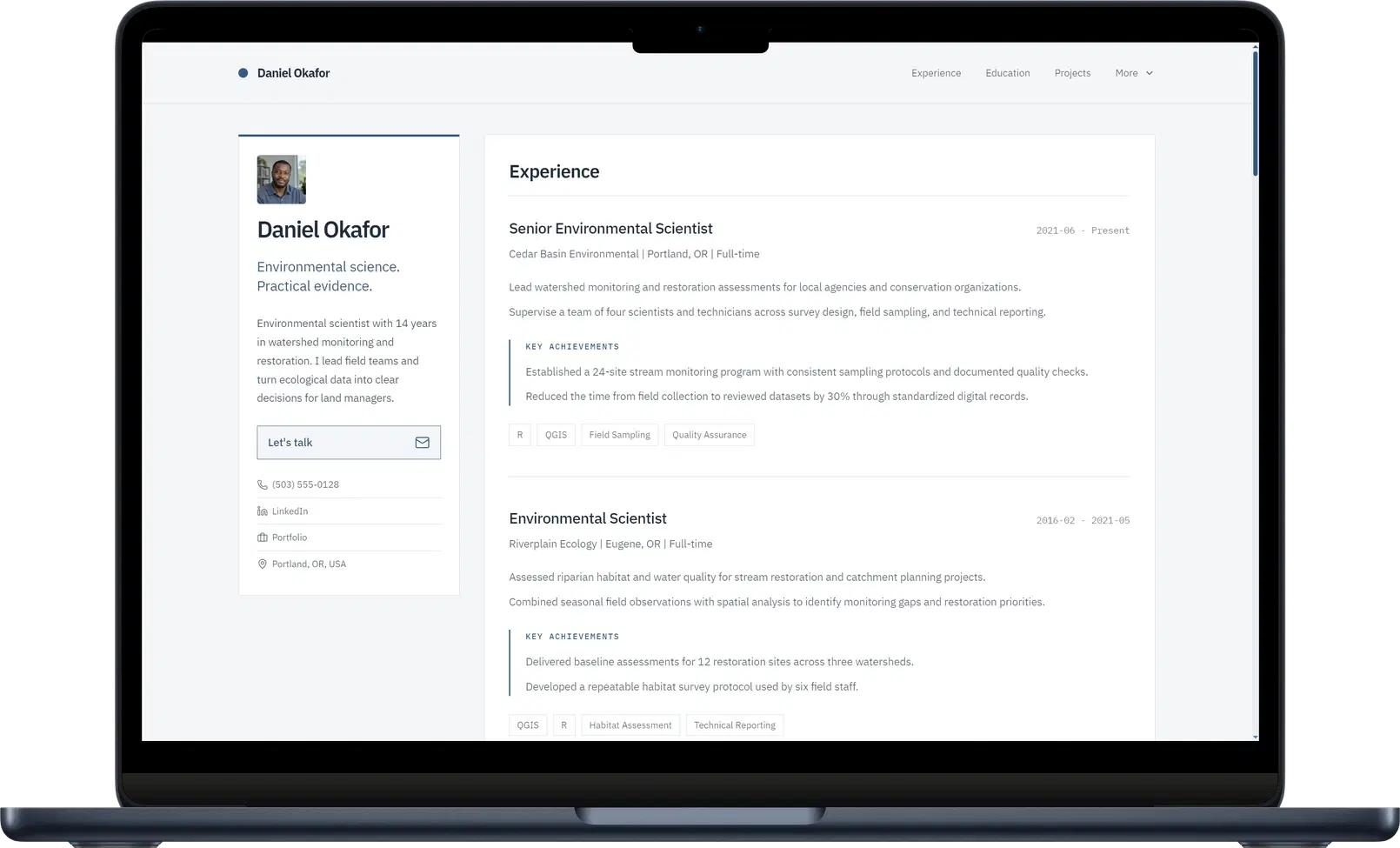
Dossier: compact, structured, and quietly confident
Dossier pairs a compact profile sidebar with a clear career chronology. It keeps essential context close at hand while giving experience, research, projects, and credentials room to breathe. The result feels focused and practical, especially for scientists, researchers, consultants, and technical specialists.
You can compare all three designs, along with the rest of the collection, in our resume website templates and examples. Everyone can explore and generate a preview with every template. Publishing these three Pro designs requires a Pro or Team plan.
Every Self template, carefully reworked
The new templates are only one part of this release. We revisited the complete collection with senior digital and web designers whose experience includes work for GUCCI, Nike, The North Face, PUMA, and other global brands.
The direction is more minimal, more polished, and more deliberate. That does not mean making twelve pages look alike. It means removing visual noise, improving hierarchy, and making every detail support the character of the template and the person using it.
- Refined typography, spacing, section rhythm, and responsive behavior across the complete collection.
- A custom scrollbar for every template, colored to feel like part of the selected design rather than browser chrome added afterwards.
- A distinct portrait hover treatment for every design, with respectful fallbacks for touch screens and reduced-motion preferences.
- Optional custom cursors across all six Creative templates, each drawn to match its own visual language.
- More consistent project galleries, media viewers, navigation, interaction states, and transitions across desktop and mobile.
The result is not a cosmetic coat of paint. It is a more coherent design system underneath twelve intentionally different experiences.
A smoother route from your material to a finished page
We have also removed friction from the parts around the templates. The upload step is now one flexible workspace: paste rough career notes, attach a PDF resume, add a TXT file or supporting images, and keep combining sources before you continue. Adding another file no longer replaces what was already there, and nothing starts until you are ready.
The template explorer now makes the choice easier with desktop and mobile mockups, clear Classic and Creative styles, plan filters, live examples, and guidance about the kinds of work each design suits.
Inside the editor, Content and Style have been rebuilt around a clearer, more spacious workspace. On desktop, editing opens alongside the full-height live preview, so you can change text, structure, colors, typography, or template effects and see the page respond without losing your place. Text fields grow naturally, controls are grouped more clearly, and the preview keeps its scroll position while you work.
- Combine pasted text with up to five PDF, PNG, JPG, JPEG, or TXT attachments in the same page-generation draft.
- Edit content and style beside a stable live preview, with a resizable panel on larger screens and a focused drawer on mobile.
- Reorder sections and repeatable items with simpler controls, while template-aware style settings show only the options the selected design supports.
- Try any template before publishing, including Pro designs, without rebuilding the page from the beginning.
Already have a Self page?
Your existing page will not change unexpectedly. It keeps its currently generated design until you choose to regenerate it. To use the refreshed version, open the template controls in Studio and apply your current template again, or choose one of the new designs. Reapplying the same template preserves your content and style; switching to a different template keeps your content and starts from that design's style defaults.
This release makes Self better from the first source you add to the final scroll of the published page. Start with your resume, portfolio, or rough notes, then find the design that makes the work feel unmistakably yours.